Share With a Link
Send the room invitation to the people who need it. Treat links and room codes as access credentials.
Send files between devices or to anyone using a link, room code, or QR code. No sign-up required.
For temporary sharing, not cloud storage. Keep your own copy.
Start sharing without creating an account.
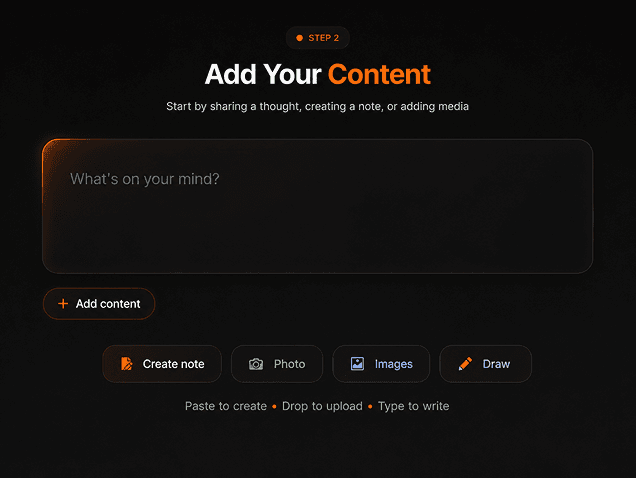
Share files with images, links, quick notes, and code.
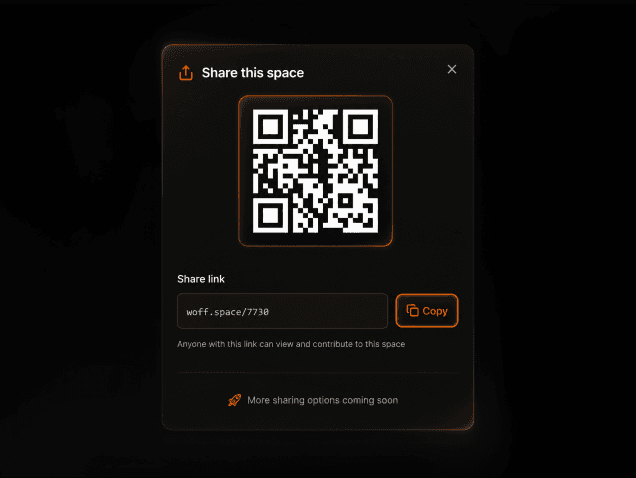
Create a room and share the link or room code.
Move photos to your laptop or send a document to a teammate.
Move photos from your phone to your laptop, or send a document to a teammate. Add a quick note, link, or code snippet when you need to.
Send the room invitation to the people who need it. Treat links and room codes as access credentials.
Share a quick note alongside your files. Edits autosave within the sharing space.
Send files, images, and drawings with clear upload progress, then download them on another device.
Create a space, paste content, scan the QR, or share the link instantly.
Add your files, share access, and download a copy to keep. No sign-up required.
Start a temporary sharing space in one click, then choose or drop the files you want to send. No sign-up required.
Send the link or room code to another person or device. They can also scan the QR code to open the sharing space.
The recipient downloads the files to their device. Keep your originals and download anything you need before it expires.
Document.pdf
Shared through Woff
Kept on your device
Your copy stays with you.
Have questions, feedback, or just want to say hi?
We’re always happy to connect with our community.